This post may contain affiliate links. This means if you click on the link and purchase something, I will receive a commission with no extra cost to you. For more information, please read my disclaimer.
Handling family schedules and activities is a full-time job, which is why a smart family organiser can be invaluable. Studies suggest families spend over 30 hours a week just planning, coordinating, and communicating who needs to be where and when. That constant mental load is exactly why digital wall calendars have become the new “family command centre” in kitchens, hallways, and home offices.
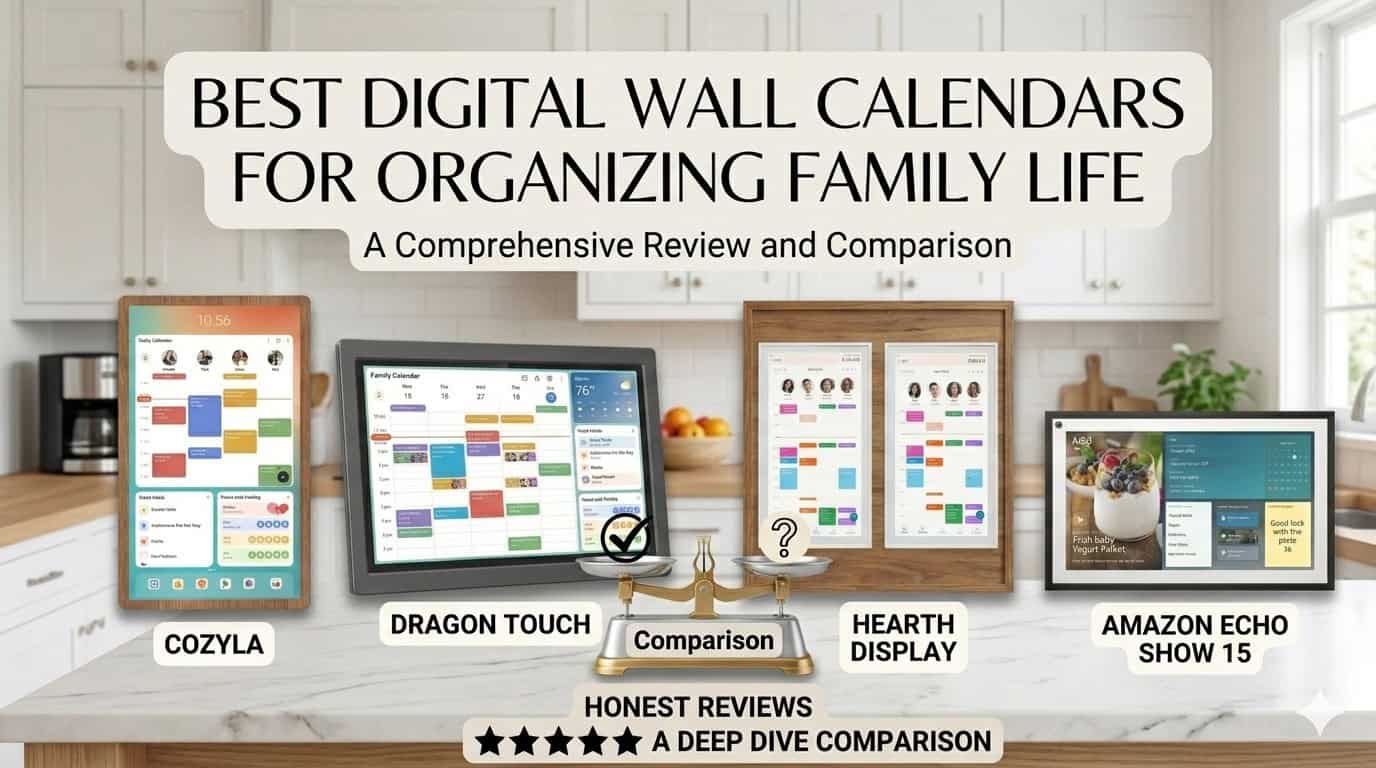
This guide pulls together months of testing and real-life use with the top digital wall calendars and apps for families — from value picks like Dragon Touch to premium designs like Hearth, dual-mode displays like Apolosign, and smart-home hubs like the Echo Show 21. The goal: help you pick the one that actually fits your family, your budget, and your tech comfort level
My top pick Dragon Touch Digital Calendar
After testing the leading digital wall calendars for families, Dragon Touch is the one I’d recommend to most families starting out. Here’s why:
- No subscription required for any core feature — calendar sync, chores, lists, dinner planning, weather and photo mode are all included.
- Widest range of sizes — 10.1″, 15.6″, 21.5″, 24″, 27″ and a huge 32″ full-HD display. There’s a Dragon Touch that fits your wall, whatever the size of your kitchen.
- Built-in chore chart with star-based rewards that actually motivates kids.
- Excellent value compared with subscription-heavy alternatives.
If you want a different priority — the absolute best smart home integration, the prettiest design, or the dual-mode flexibility of an Android dashboard — keep reading. I’ve ranked five more strong options below.
What to look for in a Digital Wall Calendar for Families
Not every digital calendar is built with families in mind. Before buying, here are the features that actually matter when you’ve got multiple schedules to juggle:
- Multiple user profiles with colour coding — Every family member needs their own colour so you can tell at a glance whose event is whose. This is the single biggest day-to-day difference between a calendar that gets used and one that gets ignored.
- App syncing with Google, Apple and Outlook — Mixed-device households (one parent on iPhone, one on Android, kids on school Google accounts) need a calendar that pulls from all of them automatically.
- Screen size for your space — 10–15″ suits kitchen counters and hallway walls. 21–32″ works better for open-plan rooms where you want the schedule readable from across the room.
- Touchscreen for fast edits — Adding a last-minute swimming lesson shouldn’t require unlocking your phone.
- Chore and task features — The calendars that win long-term are the ones that handle chores, lists and meal planning alongside the schedule. Kids can self-manage; parents stop being the household memory.
- Voice assistant or smart-home support — Alexa or Google Assistant integration means hands-free updates while you’re cooking dinner.
- Wired power and software updates — Wired displays are more reliable for permanent wall mounting, and you want a brand that keeps shipping software updates years after you buy.
- Subscription or one-time purchase — Some brands lock useful features behind monthly fees. Decide upfront whether you’re OK with that or want everything included.
Quick comparison of the top digital wall calendars
|
Best Smart Calendar
|
Recommended

|
Most Affordable

|
|
$649.99
|
$299.99
|
$399.99
|
1. Dragon Touch Digital Calendar – best overall

Dragon Touch has quietly become the best value dedicated digital family calendar on the market, particularly if you want a larger screen without a subscription. It is a true all-in-one hub: calendar, chore chart, dinner planner, lists, weather and photo frame — with no monthly fee for core features.
Why Dragon Touch stands out
- Multiple sizes: 10.1″, 15.6″, 21.5″, 24″, 27″, and a large 32″ full HD display, ideal for big kitchens or open-plan living spaces.
- No mandatory subscription: Calendar sync, chores, lists, dinner planning, weather and photo mode are all included.
- All-in-one smart family calendar: Colour-coded events by family member, to-do lists, chore tracking and a built-in dinner planner.
- Easy setup and auto-sync: Plug in, connect to Wi-Fi, link your Google or iOS calendars via the mobile app, and everything stays in sync.
- 32″ FHD option: The 32″ version offers a 1080p touchscreen, wall or desk mounting, and doubles as a digital photo frame when idle.
Pros
- 32GB internal storage (double most Skylight base units), dual-band Wi-Fi, and Android-based software.
- Chore chart with star-based rewards genuinely motivates kids to complete tasks.
- Strong value versus similarly sized premium displays or subscription-heavy options.
Cons
- The smaller 15.6″ model has weaker viewing angles compared with the 21.5″ or 32″ screens.
- Design is more functional than premium — if aesthetics matter most, Hearth is a better fit.
Skip Dragon Touch if
You want a polished design statement (get Hearth) or you specifically want Alexa voice control and smart-home integration (get Echo Show 21).
Buy Dragon Touch if
You want maximum features without subscription lock-in, especially in a large 21.5″–32″ screen that functions as a true family command centre.

✅ Interactive chores chart to motivate kids
✅ Built-in dinner planner
✅ Manage everything remotely with the free eCalendar app
✅ Doubles as a digital photo frame
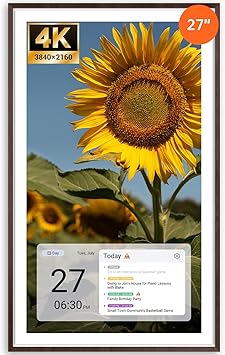
2. Apolosign Digital Calendar — Best Dual-Mode (Calendar + Android)
The Apolosign is the most genuinely innovative product in this lineup, because it does something no other digital wall calendar does: it switches between a focused Calendar Mode and a full Android dashboard.
In Calendar Mode, it behaves like a Skylight or Cozyla — colour-coded family schedule, chores, to-dos, all synced from Google Calendar, iCloud, Outlook and Yahoo. In Android Mode, it becomes a customisable smart panel with widgets for weather, news, smart home controls, and Google Assistant voice integration. You flip between the two with a tap.
Why Apolosign stands out
- World’s first dual-mode design: Calendar Mode for focused family scheduling, Android Mode for a fully customisable smart dashboard. No other family calendar on the market offers this.
- Gamified chore system: Kids complete tasks, score points automatically, and earn rewards you set (extra screen time, movie night, whatever works in your house).
- No subscription for core features: Calendar sync, chores, rewards, to-dos and photo screensaver are all free for life. Only the optional AI features sit behind a subscription.
- Strong size range: Available in 15.6″, 21.5″ and 27″ — with the 27″ model offering 4K resolution.
- Wide calendar support: Syncs with Google Calendar, Apple iCloud, Outlook and Yahoo Calendar.
Pros
- The dual-mode design eliminates the choice between a dedicated calendar and a smart display — you get both.
- 4K display option on the 27″ model is class-leading for visual quality.
- No core-feature subscription unlike Skylight.
- Google Assistant voice integration in Android Mode.
Cons
- More expensive than Dragon Touch at comparable sizes.
- The flexibility of Android Mode means slightly more setup complexity than a single-purpose calendar like Skylight.
- Newer brand with a shorter track record than Skylight or Cozyla.
Skip Apolosign if
You want the absolute cheapest option at a given size (Dragon Touch wins) or you want the most polished, design-first aesthetic (Hearth wins).
Buy Apolosign if
You want one device that does both family scheduling AND smart-home dashboard work, and you don’t want to be locked into a subscription for core features.
3. Amazon Echo Show – Best for Smart Home

Amazon’s Echo Show 21 is a 21″ smart display that combines calendar, entertainment, Alexa voice control, and smart-home management in one device. Instead of being “just” a calendar, it serves as a hub for music, streaming, video calls, and connected devices.
Why Amazon Echo stands out
- Customisable home screen: Use widgets, photos, and calendar views to create a personalised family dashboard.
- Alexa built-in: Add events, check the weather, control lights, and update the calendar via voice commands while your hands are full.
- Full smart-home hub: Controls lights, thermostats, locks, cameras and any other Alexa-compatible smart device in your home.
- 21″ Full-HD display with a 13MP auto-framing camera: Doubles as a brilliant video calling device for keeping in touch with extended family.
Pros
- Unmatched smart-home integration if you’re already in the Alexa ecosystem.
- Hands-free updates via voice are genuinely useful while cooking, cleaning, or holding a baby.
- Video calling and entertainment features mean it earns its place beyond just the calendar.
Cons
- Calendar features are less family-focused than dedicated devices like Skylight or Cozyla — no chore charts or kids’ rewards system built in.
- Requires an Amazon account and ties your family schedule into Amazon’s ecosystem.
- Some families prefer not to have an always-listening device in the kitchen.
Skip Echo Show if
You want a calendar-first device with deep family features like chore charts (get Dragon Touch or Cozyla) or you’re not comfortable with Alexa always listening.
Buy Echo Show if
You’re already invested in Alexa and Amazon smart-home devices, and you want a central screen for both schedule and home control.
The Echo Show 21 is the latest and largest smart display which features a 21" Full-HD screen, perfect for organizing your family's schedule, streaming entertainment, and making video calls that feel natural with a 13MP auto-framing camera. Smart home controls put everything you need at your fingertips. Turn it into a digital photo frame when not in use, and rest easy with built-in privacy features.
4. Cozyla Smart Family Calendar — Best All-Round Family Hub
Cozyla is a smart touchscreen platform that combines a clean schedule view with a clever rotating wall mount, letting you flip between portrait and landscape orientation. It focuses on the essentials: calendar, chores, basic meal planning, weather, and family messaging.
Why Cozyla Smart Calendar stands out
- Rotating wall mount: The wall extension lets you change orientation in seconds, making it comfortable for both adults and kids to view and interact with.
- Simple, fast interface: The screen is bright, responsive, and easy for every family member to navigate.
- Shared family hub: Calendar, chores, lists, basic meal planning, and family messaging all in one place.
- Customisable widgets and photo sharing: Set up the home screen to suit your family’s daily flow.
Pros
- Rotating mount is genuinely useful — landscape for monthly views, portrait for daily schedules.
- No mandatory subscription, though optional premium upgrades are available.
- Beautiful, bright display that works as a family centrepiece.
- Colour-coded profiles for every family member.
Cons
- More expensive than Dragon Touch at comparable sizes.
- Meal planning is more basic than dedicated meal-planning apps.
Skip Cozyla if
You want the cheapest large display (Dragon Touch is better value), or you need deep smart-home control (Echo Show wins).
Buy Cozyla if
You want a high-quality, large display with minimal setup, a rotating mount, and a polished all-round family experience without mandatory subscription fees.

32 Inch Digital Calendar Wall Touch Screen Syncs All Calendar Apps To Do List Notepad Family Cale...
5. Skylight Calendar — Best for Tech-Shy Families
The Skylight is the calendar I’d recommend to my mum. That’s not damning with faint praise — the Skylight does one thing extraordinarily well: it shows the family’s schedule, clearly, with almost no friction. It’s the easiest calendar on this list for non-technical family members to use day one.
Why Skylight stands out
- Family-first design: Touchscreen display in 10″, 15″ or 27″ Max, usable in landscape or portrait, designed specifically for families rather than general productivity.
- Deep app integration: Works with Google, Apple, Outlook, Cozi, and more, pulling everyone’s schedules into one place.
- Polished, intuitive interface: Even younger children can check their schedule without help — a genuine selling point.
- Auto-sync and mobile app: Changes from your phone appear on the wall device, and you can manage chore charts and grocery lists from anywhere.
Pros
- The most beginner-friendly calendar on this list — minimal setup confusion, intuitive daily use.
- Strong brand reputation and customer support.
- Genuinely polished design that doesn’t look like a tech product.
Cons
- Skylight Plus subscription ($59/year) is required for advanced features like Magic Import — feels mean on a $300 device.
- More limited storage than Dragon Touch (16 GB vs 32 GB on base models).
- 27″ Max version costs around $599 — Dragon Touch’s 32″ is significantly cheaper.
Pricing
- 10″ — around $159 (works on a counter, too small for a wall)
- 15″ — around $299 (the sweet spot for most homes)
- 27″ Max — around $599 (impressive on an open-plan wall)
- Skylight Plus subscription — around $59/year
Skip Skylight if
You want a smart-home hub (get Echo Show 21), maximum features without subscriptions (Dragon Touch or Cozyla), or a screen bigger than 15″ without paying $600 (Dragon Touch’s 21.5″ is half the price of the Skylight Max).
Buy Skylight if
You want the calendar your parents and your kids can both use day one, you don’t mind a small annual subscription, and clean family-first design matters more than feature breadth.

Ideal for families who need a calendar that's always visible and easy to use. Easy setup and online calendar synchronization.
6. Hearth Display Best for families
Hearth Display is a large, wall-mounted family calendar designed to live in the heart of your home and replace the paper calendar, whiteboard, and chore chart in one go. It puts every family member’s schedule, routines, and to-dos on a single, always-visible screen — and it’s the only one on this list that genuinely looks like a piece of decor rather than a piece of tech.
Why Hearth Display stands out
- Hearth Helper: Snap a photo of a paper calendar, school newsletter, or party invitation, and Hearth Helper digitises it and adds it to your shared schedule. Genuinely useful.
- Designed for family routines, not just events: Pulls calendar events AND daily routines into a single shared layout so parents don’t have to repeat themselves.
- Kids can self-manage: Clear schedules and chore lists help kids know what to do without constant reminders, building independence.
- Smudge-resistant screen and privacy modes: The display stays clear, and you can dim or hide details for privacy.
Pros
- By far the most beautiful and design-led product on this list.
- Hearth Helper photo-to-calendar feature is a genuine time-saver.
- Routines feature (not just events) reduces parental mental load.
Cons
- Among the most expensive options on this list.
- Subscription model — some advanced features are locked behind a monthly fee.
- Fewer size options than Dragon Touch or Apolosign.
Skip Hearth if
Budget is your priority (Dragon Touch wins on value) or you want subscription-free use of advanced features (Apolosign and Cozyla both deliver this).
Buy Hearth if
Aesthetics and a family-wide system matter more to you than screen size options or budget. It’s the most “designed” option on this list — and for some families, that’s exactly what makes them actually use it.

The Hearth Calendar Display is my top recommendation for busy families. Its powerful app and hearth helper make it a breeze for me and my family to stay on track and get all our jobs and the kids chores done on time.
How to set up your Family Digital Wall Calendar
Buying the right device is only half the battle. The families who actually get value from their calendar are the ones who set it up properly in the first week. Here’s what makes the difference:
- Create a profile for every family member on day one. Assign each person a distinct colour. Even toddlers can get a colour — it teaches them to look for their own schedule.
- Connect every existing calendar during setup. If your partner uses Apple Calendar, you use Google and the school sends Outlook invites, link all of them. A unified view is the entire point.
- Place the display where everyone passes daily. The kitchen and hallway are the two highest-traffic spots in most homes. A calendar in the home office gets ignored.
- Set recurring reminders for regular commitments like school pickup, weekly practices and bin day. These are the events that cause the most chaos when forgotten.
- Use the sticky-note feature for quick family messages — “Took the dog out”, “Milk in the fridge”, “Mum’s stuck in traffic”. It cuts down on phone notifications.
- Schedule a 5-minute family review every Sunday evening. Walk through the week ahead together. This single habit prevents most “I didn’t know about that” arguments.
What is a digital wall calendar?
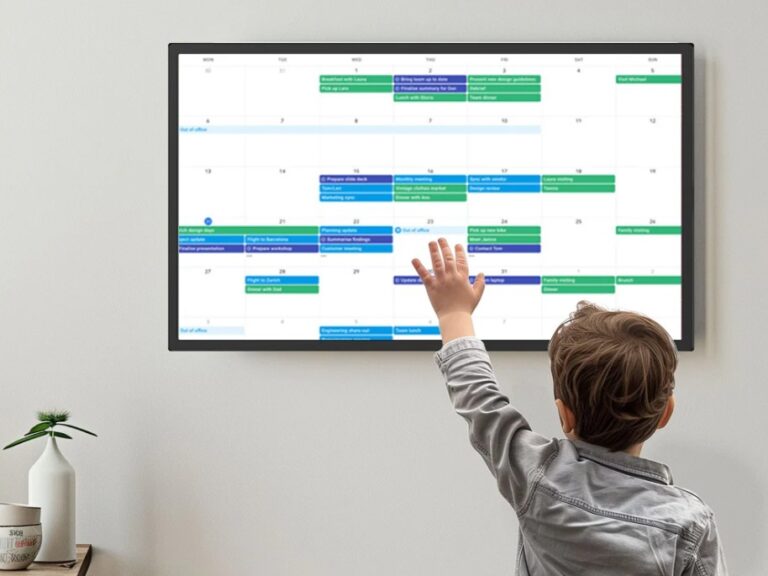
digital wall calendar is an electronic version of the paper calendar on your fridge — usually a tablet-like screen that shows your shared family schedule in real time. It connects to services such as Google Calendar, Outlook, or iCloud so any event you add on your phone automatically appears on the display.
Common components include:
- Shared monthly/weekly calendar view with multiple users.
- Colour-coded events, to-dos, lists, and chore assignments to streamline family organisation.
- Photo display, weather, and sometimes news or motivational widgets.
Why Digital Wall Calendars Beat Paper Planners and Phone Apps
Compared with traditional planners and single-user phone apps, a digital wall calendar offers several family-specific advantages.
- Everyone can see it: A big screen in the kitchen or hallway keeps the whole family on the same page, reducing double-booking and “I didn’t know” arguments.
- Always up-to-date: Changes made on phones sync back to the shared display, so you are never staring at an out-of-date calendar.
- Encourages teamwork: Because everyone can add tasks, events, and lists, family members feel involved and can support each other more easily.
How to choose the right Digital Wall Calendar for your Family
Use these questions to narrow down which of the six is right for you.
Do you want a subscription model or a one-time purchase?
- Hearth and Skylight lean on subscriptions for some advanced features.
- Dragon Touch, Apolosign, Cozyla and Echo Show include most everyday features without ongoing fees.
How big is your space?
- Smaller kitchens may work best with 10–15″ screens.
- Open-plan homes often benefit from larger displays like Dragon Touch 32″, Cozyla 32″, or Apolosign 27″.
Do you need deep smart-home integration?
- Echo Show is strongest for Alexa and full smart-home control.
- Apolosign’s Android Mode is the next-best for smart-home dashboarding.
- Dedicated calendars (Dragon Touch, Cozyla, Skylight, Hearth) focus on scheduling, routines, and chores.
How important is design?
- Hearth is the clear winner for aesthetics.
- Cozyla and Apolosign are also visually polished.
- Dragon Touch is more functional than premium-looking.
What’s your budget?
- Under $300: Dragon Touch 15.6″ or Skylight 15″.
- $300–$500: Cozyla, Apolosign 15.6″, or Echo Show 21.
- $500+: Apolosign 21.5″+ or 27″, Hearth Display, Skylight Max, Dragon Touch 32″.
Final thoughts
A digital wall calendar isn’t a luxury item for tech enthusiasts — it’s a practical tool for any family juggling multiple schedules. The right choice depends on your budget, the tech you already own, and what matters most to you.
Dragon Touch is the all-round winner for most families: no subscription, the widest size range, and serious value for money. If you want the smartest design with dual-mode flexibility, Apolosign is the most innovative option. If you already live in the Alexa ecosystem, the Echo Show 21 doubles as your family hub for everything else too. And if aesthetics matter most, Hearth is hard to beat.
Either way, making the switch from paper to digital is one of the smartest organisational moves a busy family can make.