This post may contain affiliate links. This means if you click on the link and purchase something, I will receive a commission with no extra cost to you. For more information, please read my disclaimer.
Let me paint you a picture. Five people, three kids in different activities, one kitchen wall calendar, and approximately forty-seven sticky notes. That was us. I started with the Skylight Calendar because everyone seemed to be talking about it — and honestly? It helped. But after six months I found myself wondering if we could do even better. So I did what any slightly obsessive family organiser would do and tested everything I could get my hands on.
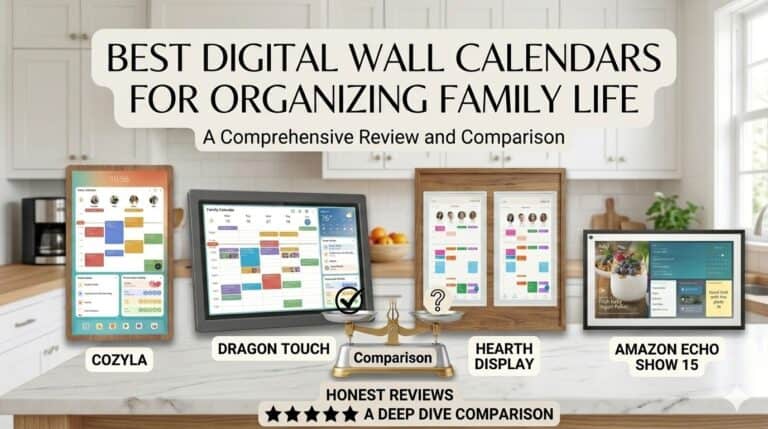
Over the past few months I’ve tried dedicated wall displays, free apps, and everything in between. I’m now using Dragon Touch as our main family display and I genuinely think it’s the smartest option for most families — but I’ll walk you through everything I tested so you can make the right call for your household. No fluff, no sponsored opinions.
|
Recommended

|
Best for Families

|
Best Smart Calendar
|
|
Our Rating:
4.1
|
Our Rating:
3.8
|
Our Rating:
3.9
|
|
Pros:
|
Pros:
|
Pros:
|
|
$299.99
|
$899.99
|
$649.99
|
- Interactive chores chart that actually motivates kids
- Built-in dinner planner
- Manage everything remotely with the free eCalendar app
- Doubles as a stunning digital photo frame when not in use
- 32' Screen
- Wall Mount Extension
- Portrait + Landscape
- Customizable Dashboard
- Crystal-clear display
- Syncs everything instantly
- Motivates kids naturally
- Effortless meal planning
- Never miss anything
- Fully customisable dashboard
- Free photo frames
Starting Point: Why I Used Skylight First
Before I get into the alternatives, it’s worth being fair to Skylight because it genuinely isn’t a bad product. I chose it because as a family of five with three kids in completely different activities, our schedule had become a work of chaos — multiple colours, sticky notes, a group chat nobody read. Skylight promised to pull it all into one visible place and it delivered on that.
What I liked:
- Syncs easily with Google Calendar and Apple Calendar
- Clean, visible display that everyone could read from across the room
- Simple touchscreen — even the youngest figured it out
- The Magic Import feature made setup genuinely painless
- Handy sleep mode for nighttime
Where it fell short:
- Customisation is pretty limited unless you pay for Skylight Plus
- Chore charts and meal planning are basic at best on the standard plan
- The screen goes to sleep on a fixed schedule regardless of what’s happening — mildly annoying
- For what you get, the price gives you pause
Those limitations had me curious. So I started exploring. Here’s everything I found.

Ideal for families who need a calendar that's always visible and easy to use. Easy setup and online calendar synchronization.
🏆 Dragon Touch — My Top Pick After Testing Everything
Dragon Touch — My Top Pick After Testing Everything
Okay, I’ll just say it upfront — Dragon Touch ended up being my favourite of everything I tested, and I wasn’t expecting that going in. I’d honestly never heard much about it before I started this comparison, which I think is a shame because it quietly punches well above its weight. It’s what I use every day now and I haven’t looked back.
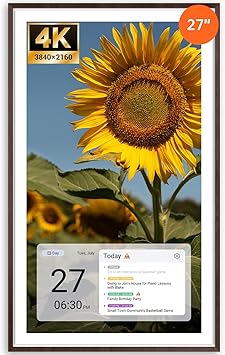
Dragon Touch comes in a generous range of sizes — 10.1″, 15.6″, 21.5″, 24″, 27″, and 32″ — all in Full HD. I tested the 21.5″ and it was the sweet spot for our kitchen wall. Big enough to read from across the room, not so big it takes over the whole space.
What won me over:
The setup genuinely took less than 20 minutes. Plug in, connect to Wi-Fi, download the eCalendar app, and sync your existing Google or Apple calendars. Everything just landed in one place — colour-coded by family member — without me having to manually re-enter a single event. That alone felt like a small miracle.
The chore chart with the star-based rewards system is the one my kids actually engage with. They tap off tasks themselves and watch their stars accumulate — it’s turned “has anyone emptied the dishwasher” from a daily argument into something they’re oddly competitive about. I’ll take it.
The meal planning feature is built right in — you can plan the week, save family favourites, and the dinner planner stops the daily “what’s for dinner?” spiral. And when nobody’s actively using it, it flips into a digital photo frame displaying our family pictures. Honestly lovely.
The specs worth knowing:
- 32GB storage — double what Skylight offers
- Dual-band Wi-Fi (2.4G & 5G) for faster, more reliable syncing
- Syncs with Google, Apple, Outlook, Yahoo, Cozi and more
- Full HD touchscreen across all sizes
- Wall mountable in portrait or landscape (note: the 10″ can’t wall mount, and the 32″ must)
- No subscription fees
- 2-year warranty if bought direct
The honest downsides: The meal planning feature doesn’t automatically push ingredients to your grocery list — you have to add them manually, which feels like a missed opportunity. And the star rewards system can only be edited via the app, not on the device itself, which is a small but occasionally annoying limitation.
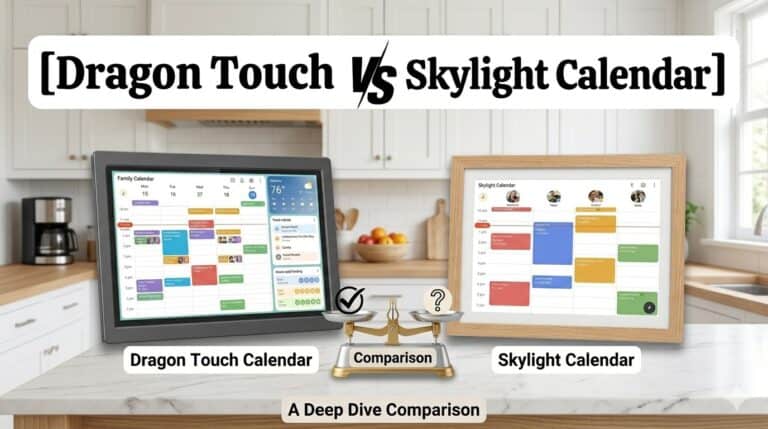
Overall though? For the combination of screen size options, features, storage, and no subscription fees, Dragon Touch offers genuinely outstanding value. This is where I’d point most families first — and it’s what I use myself. For a full head-to-head, read my Dragon Touch vs Skylight comparison.
✅ Interactive chores chart to motivate kids
✅ Built-in dinner planner
✅ Manage everything remotely with the free eCalendar app
✅ Doubles as a digital photo frame
✨ Apolosign — The Most Innovative Option on the List
Apolosign is the newest player here and honestly one of the most interesting. They launched what they call the world’s first Dual-Mode Digital Calendar — and once you understand what that means, it makes a lot of sense.
Essentially it operates in two completely different modes. Calendar Mode is your dedicated family schedule view — colour-coded events, chore tracking, meal planning, the works. Android Dashboard Mode flips it into a fully customisable smart display where you can add widgets for weather, meals, music, your doorbell camera, stocks, whatever you want. It’s like having two devices in one screen.
What I really appreciated was the Google Gemini AI voice assistant built right in. You can ask it to set reminders, check the weather, manage tasks, or control smart home devices hands-free. For a busy kitchen moment when your hands are covered in flour, that’s genuinely useful.
What stands out:
- Dual-Mode switching between calendar and fully customisable Android dashboard
- Syncs with Google, Apple, Outlook, Yahoo, and Cozi
- Reward-based chore chart — kids earn points for completed tasks
- Google Gemini AI voice assistant built in
- Anti-glare matte glass — a detail I really appreciated, especially in a bright kitchen
- Auto brightness and sleep mode
- No subscription fees for core features
- Google Photos integration for screensaver — seamless and genuinely pretty
- Available in lovely wood frame finishes (Teak and Spruce Grey) — it looks like a piece of furniture, not a gadget
The honest downsides: The app is currently only supported in the US, Canada, and the UK — so if you’re elsewhere, worth checking before you buy. A few reviewers mentioned the initial image display setup was a little confusing, though the support team seems responsive. And there’s no micro SD card slot which some people miss.
The aesthetic alone sets Apolosign apart — it genuinely looks beautiful on a wall, which matters when it’s going to live in your kitchen or hallway permanently. If you want something that functions brilliantly AND looks like it was designed by someone who cares about interiors, this is the one.
Cozyla — Solid, Simple, and No Subscription Ever 🏠
You might know I ended up using Cozyla for a while — I wrote a full Cozyla review if you want the deep dive. Here’s how it stacks up in the comparison.
What struck me immediately was how unfussy it is. The rotating wall mount is genuinely clever — portrait for the calendar view, landscape for recipes or movie nights — and it’s sturdy enough that my kids adjust it themselves. The colour-coded profiles mean everyone’s schedule is instantly visible without squinting at a cluttered screen.
What it covers:
- Family calendar with colour-coded profiles
- Chore management with a kids rewards system
- Meal planning with grocery lists
- Weather, family messaging, customisable widgets
- Doubles as a digital photo frame
- No subscription fees — ever
Where it sits in the comparison: Cozyla does everything it promises cleanly and reliably. It doesn’t have Dragon Touch’s storage or size range, or Apolosign’s dual-mode innovation — but if you love the rotating mount feature and want something dependably simple, it’s a strong option. The 30-day trial means you can test it at home risk-free, which I always appreciate.
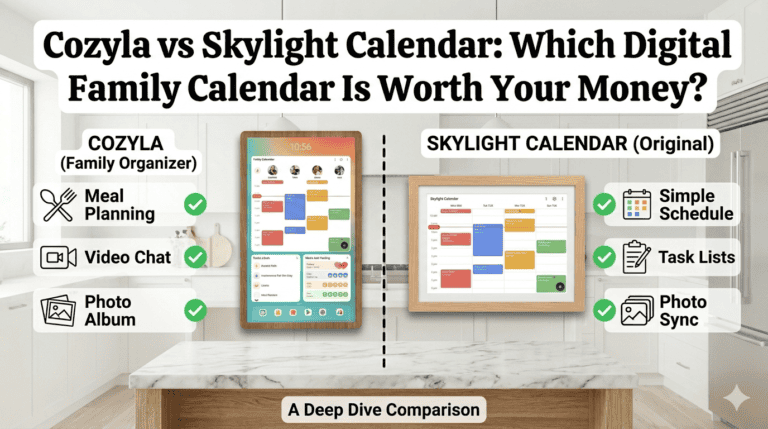
If you’re specifically deciding between these two, I’ve written a detailed Cozyla vs Skylight comparison that breaks down every key difference.

The ultimate digital family hub.
- 📅 Syncs with Google, Apple, Outlook & more
- 👨👩👧 Colour-coded profiles for the whole family
- ✅ Chore charts with a built-in kids rewards system
- 🍽️ Smart meal planner with grocery lists & recipes
- 📱 Control from anywhere with the Cozyla+ app
- 🖼️ Wall-mountable in portrait or landscape
The Echo 21 — Best If You’re Already in the Amazon Ecosystem

The Echo Show 21 takes a completely different angle from the dedicated calendar displays — it’s more of a smart home hub that happens to show your calendar. Being able to say “Alexa, add soccer practice to Thursday at 4pm” while mid-recipe is genuinely useful, and I can see why families love it.
Here’s my honest experience though: Alexa is great, but you need to already be using a lot of smart home devices to get the real benefit from it. I found that for straightforward family organisation — calendar, chores, meal planning — it was just okay. It didn’t add enough value to our household to justify keeping it as our main display. If I had a Ring doorbell, smart heating, smart lighting — the whole ecosystem — it would be a completely different story. The integration would make it genuinely powerful.
I also just prefer a bigger, dedicated screen for a family calendar. The Echo Show 21 is a 21-inch multi-purpose device. Dragon Touch is a calendar first. For our family, that distinction matters.
What it does well:
- Voice-controlled calendar management — hands-free is genuinely useful in a busy kitchen
- Integrates with the full Amazon smart home ecosystem
- Video calling
- Kitchen timer and recipe display
- Music and video streaming
- Digital photo frame mode
- No subscription fees at $349.99
Where it falls short for family organisation:
- Doesn’t feel like a dedicated family calendar the way the others do
- Chore chart and meal planning depth doesn’t match Dragon Touch or Apolosign
- The touchscreen isn’t as responsive as the dedicated displays
- The value depends heavily on how much of the Amazon ecosystem you’re already using
My verdict: If you’re already an Alexa household with smart home devices throughout, the Echo Show 21 is worth serious consideration. If you’re primarily looking for a family calendar display, a dedicated option will serve you better.

The Echo Show 21 is the latest and largest smart display which features a 21" Full-HD screen, perfect for organizing your family's schedule, streaming entertainment, and making video calls that feel natural with a 13MP auto-framing camera. Smart home controls put everything you need at your fingertips. Turn it into a digital photo frame when not in use, and rest easy with built-in privacy features.
Hearth For Families Who Want Beauty and Simplicity
Hearth was one of the first dedicated family calendar displays I tested and it made an impression straight away. It felt genuinely premium — the interface is polished, the drag-and-drop scheduling is lovely, and the mobile app is the best of any product on this list for full off-device functionality. It looks like a piece of decor rather than a piece of tech, which matters when it’s going to live on your kitchen wall permanently.
Hearth does fewer things than some of the newer options — and for certain families that’s exactly the point. Less to configure, less to distract from, more focus on the family schedule itself. If you have a household that gets overwhelmed by too many features, or you simply want something that looks beautiful and works reliably without exploration, Hearth’s focused approach is a genuine strength.
The Hearth Helper feature is worth calling out specifically — you can snap a photo of a paper calendar, school newsletter, or party invitation and it digitises the details straight into your shared schedule. For anyone drowning in paper from school bags, that alone is worth something.
What it does well:
- The most design-led product on this list — genuinely beautiful on a wall
- Hearth Helper photo-to-calendar import is a real time-saver
- Polished, intuitive interface that the whole family adapts to quickly
- Routines feature alongside events reduces the daily “what do I need to do?” questions
- Best-in-class mobile app for managing the calendar remotely
Worth knowing: Hearth sits at a higher price point — $699 upfront with subscription fees from $86/year — so it’s best suited to families where aesthetics and a refined experience matter as much as feature breadth.
This one is for you if: Design is a priority, you want a calendar that looks like it belongs in your home rather than in a tech showroom, and you appreciate a focused, distraction-free experience over a feature-packed dashboard.

The Hearth Calendar Display is my top recommendation for busy families. Its powerful app and hearth helper make it a breeze for me and my family to stay on track and get all our jobs and the kids chores done on time.
Also Worth Knowing: DAKboard
DAKboard is worth a mention for the tech-confident among you. It’s the most customisable option on this list — different screens for different times of day, advanced weather widgets, news feeds, the works. The setup is more involved than any of the others, but if you enjoy tinkering and want a display that does exactly what you want it to do, DAKboard delivers. Starting at around $5/month for premium features it’s also one of the more affordable ongoing costs. Not for everyone, but brilliant for the right person.
Not Ready to Commit? Start with an App First 📲
Before spending hundreds on a wall display, it’s worth testing whether your family will actually engage with a digital system at all. Two apps worth trying first:
Mango Display — clean interface, Google Calendar sync, basic chore tracking, free basic version available. Good way to see if your family takes to a shared digital calendar before committing to hardware.
Cozi — been around for years and for good reason. Shared calendar, to-do lists, shopping lists, meal planning, even a recipe box. Free version available. If your family gets into it, you’ll know a wall display is worth the investment.
Starting with an app costs nothing and tells you a lot. If after two weeks nobody’s using it, save your money. If the whole family is in, you’ll know hardware is worth it.
Cost Comparison — What You’re Actually Spending 💸
|
Device |
Upfront Cost |
Annual Subscription |
5-Year Total |
|
Dragon Touch (21.5″) |
$349.99 |
None |
$349.99 |
|
Apolosign (15.6″) |
From $299 |
None |
From $299 |
|
Cozyla (32″) |
$899 |
None |
$899 |
|
Echo Show 21 |
$349.99 |
None |
$349.99 |
|
Skylight Calendar |
$299 |
$39/year |
From $494 |
|
DAKboard |
~$300 |
From $60/year |
From $600 |
|
Hearth Display |
$699 |
From $86/year |
From $699 |
The subscription fees add up more than you’d think. Skylight’s $39/year sounds small but over five years that’s nearly $200 on top of the device cost. Worth factoring into your budget calculation before you decide.
So Which One Should You Actually Get?
Best all-round value with maximum features → Dragon Touch. Outstanding specs, no subscription, size range that suits almost any wall. This is what I use and what I’d recommend to most families.
Want something innovative that doubles as a smart dashboard → Apolosign. The dual-mode and AI voice assistant make it genuinely different from everything else on this list. Beautiful on a wall too.
Want simple, reliable, and love the rotating mount → Cozyla. Does what it says cleanly with no ongoing fees. A solid dependable choice.
Already have a full Amazon smart home setup → Echo Show 21. The Alexa integration becomes genuinely powerful when you’re already in the ecosystem. For pure family organisation without smart home devices, the others serve you better.
Want beauty, simplicity, and a focused family experience → Hearth Display. The most design-led option on the list. Fewer features than some newer alternatives — and for families who want less distraction and more focus, that’s the whole appeal. The Hearth Helper photo import is genuinely clever too.
Like to customise everything yourself → DAKboard. Built for tinkerers. Unmatched flexibility if you’re willing to put in the setup time.
Not sure yet → Start with Cozi or Mango Display on your phone first to test if your family will actually engage with a digital system before committing to hardware. You’ll know within two weeks.
My Personal Choice
I use Dragon Touch as our main family calendar display and it’s genuinely the best thing I’ve done for our household organization. The combination of setup speed, features, screen size, and no subscription fees makes it the easiest recommendation I make. If you’re starting from scratch, start here.
That said — every family is different. Test what you can, take advantage of return windows, and don’t be afraid to switch if something isn’t working. The goal is a system your whole family actually uses, not a beautiful piece of tech that everyone ignores after week two.
Drop any questions in the comments below — I read every one and I’m always happy to help you figure out which option suits your household. 💚